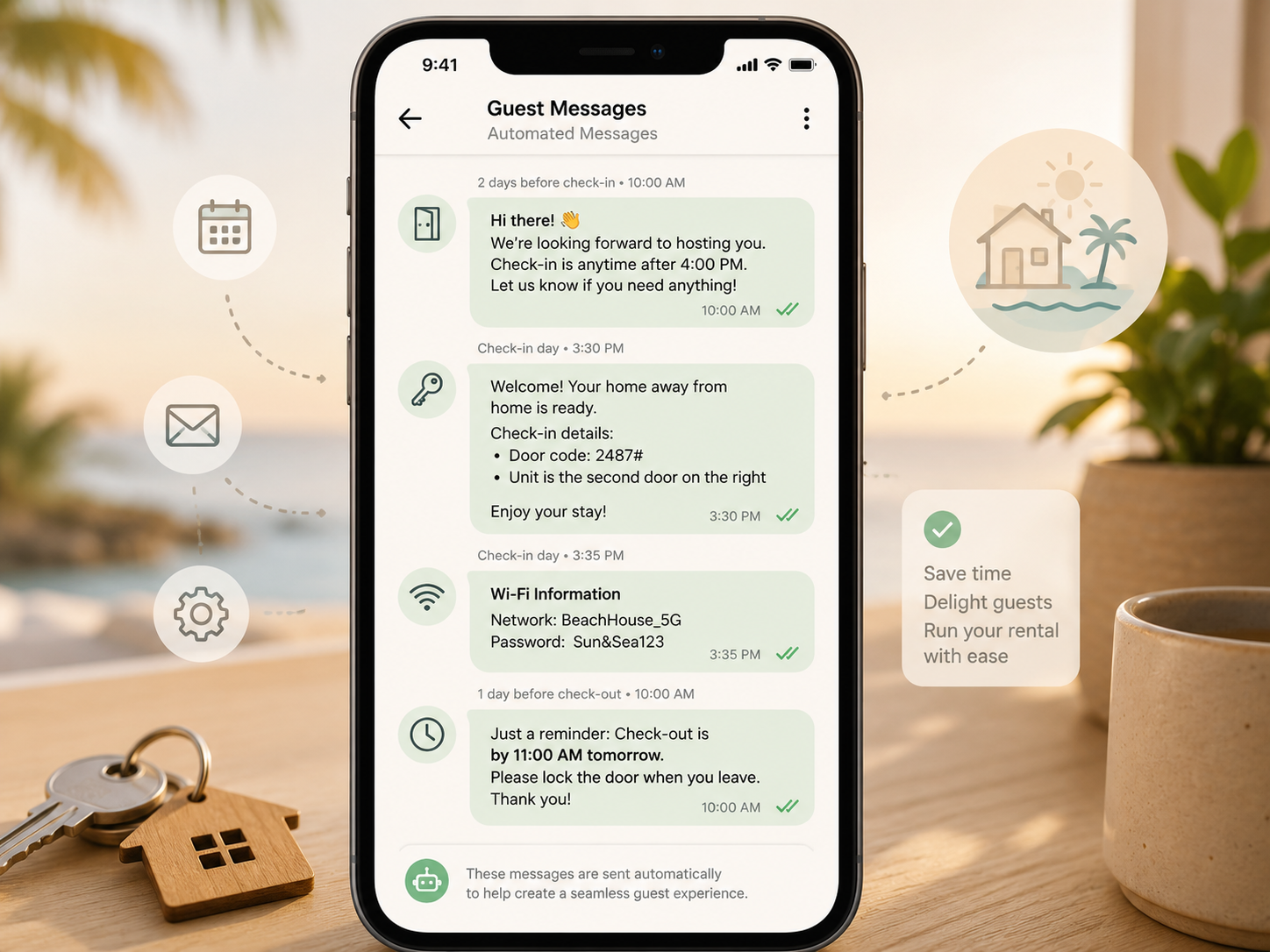
Answering the same five questions over and over — check-in time, wifi password, parking instructions — is one of the fastest ways to burn out as a host. The right guest communication software turns those repetitive conversations into automated, on-brand messages that go out without you lifting a finger. In this guide, we’ll look at what guest communication software actually does, the leading options for 2026, and how to decide whether you need a standalone tool or a feature built into your existing PMS.
What Guest Communication Software Actually Does
Guest communication software centralizes every conversation — Airbnb, Vrbo, Booking.com, SMS, email — into one inbox, then layers automation on top. Instead of manually typing the same check-in instructions to every guest, you set up templates and triggers once: a booking confirmation goes out the moment a reservation lands, a check-in guide arrives 24 hours before arrival, and a review request fires automatically a day after checkout.
The best guest communication software also handles the messy parts: timezone-aware scheduling so messages don’t land at 3am, automatic translation for international guests, and saved replies for the questions you get asked constantly. Some platforms add AI-assisted drafting, suggesting responses to unusual guest questions based on your house rules and past conversations.
Why a Unified Inbox Matters
If you list across multiple platforms, message fragmentation is a real problem. A guest might message you on Airbnb, then follow up by texting the number on your welcome guide, then email a question about late checkout. Without guest communication software pulling all three into one place, it’s easy to miss something — and a missed message is one of the fastest ways to earn a bad review.
A unified inbox also matters for teams. If you have a co-host, cleaner, or virtual assistant handling some guest questions, everyone working from the same thread avoids the awkward situation of two people answering the same guest differently.
Top Guest Communication Software Options
Hostaway
Hostaway bundles guest communication directly into its broader PMS, with a unified inbox that pulls in messages from every connected channel plus automated messaging sequences you can customize per listing. Because it’s part of a full property management system, automated messages can pull in real reservation data — check-in time, door code, unit number — without manual entry. For hosts who want messaging, channel sync, and operations in one login, this integration is the main selling point.
Guesty
Guesty’s guest communication tools include a similar unified inbox along with AI-assisted reply suggestions and multilingual support, aimed at management companies handling guest volume across many properties and markets. Automated triggers can be set at the portfolio level, which is useful if you’re standardizing messaging across dozens of listings rather than configuring each one individually.
Hospitable (formerly Smartbnb)
Hospitable is one of the more focused, messaging-first tools on the market — it doesn’t try to be a full PMS, just a deep guest communication and automation layer that connects to your existing booking channels. For hosts who already like their PMS but feel its messaging features are an afterthought, Hospitable is worth a look as an add-on rather than a replacement.
Smoobu
Smoobu offers guest communication as part of a lighter-weight, budget-friendly PMS aimed at hosts running a handful of properties. Its automated messaging covers the basics — check-in instructions, review requests — without the more advanced AI features found in larger platforms, which keeps pricing accessible for hosts just getting started.
Standalone Tool vs. Built-In PMS Feature
This is the same fork in the road you’ll hit with channel managers: buy guest communication software as a dedicated tool, or rely on whatever your PMS already includes. If you’re happy with your current PMS and it has automated messaging, adding a separate communication tool on top usually creates more complexity than it solves — you’d be duplicating triggers and risking guests receiving conflicting messages from two systems.
Standalone guest communication software makes more sense when your PMS’s messaging features are genuinely weak, or when you’re using multiple tools across different properties and want one consistent guest experience layered on top. For most hosts starting fresh, choosing a PMS with strong built-in guest communication software avoids the extra integration headache entirely. Our Best Vacation Rental PMS guide breaks down which platforms handle messaging best.
What to Look for When Comparing Tools
Start with channel coverage — confirm the tool actually connects to every platform you list on, not just Airbnb. According to guidance from Airbnb’s own host resources, fast response times are directly tied to higher Superhost-eligible response rate metrics, which makes automated messaging less of a convenience and more of a ranking factor.
Next, check how deep the automation goes. Basic tools send the same message to every guest; better guest communication software lets you build conditional logic — different welcome messages for families versus business travelers, different instructions for ground-floor versus upper-floor units, different language defaults based on guest location.
Finally, look at how the tool handles edge cases: what happens when a guest messages outside business hours, how AI-drafted replies are reviewed before sending, and whether you can quickly override an automated sequence if a guest needs a human response right away.
Pricing Considerations
Pricing for guest communication software follows a similar pattern to the rest of the vacation rental software market. All-in-one platforms like Hostaway and Guesty fold messaging automation into their per-unit subscription, so you’re not paying extra for it once you’re on the platform. Standalone tools like Hospitable typically charge per listing per month, which can be a smaller upfront cost if you only want messaging and already have a PMS for everything else.
Before signing up, check whether AI-assisted reply features are gated behind a higher tier. Several providers treat smart-reply suggestions and translation as premium add-ons rather than core features, so the advertised entry price may not include the automation you actually want. It’s worth running the numbers across two or three providers using your real unit count before committing to an annual plan.
How to Roll Out New Guest Communication Software Without Disrupting Bookings
Switching guest communication software mid-season is risky if you do it all at once. The safer approach is to pick one property, turn off automated messaging in your old system, and run the new tool exclusively on that listing for a few bookings. Watch how guests respond to the new templates and tone before copying the setup across your whole portfolio.
Pay close attention to message timing during the transition. Two overlapping automation systems sending duplicate check-in instructions is a fast way to confuse guests and make your operation look disorganized. Disable old triggers completely before activating new ones, rather than running both in parallel “just in case.”
Common Mistakes to Avoid
A common mistake is over-automating to the point where guests feel like they’re talking to a bot with no path to a real person. Always leave an obvious way for guests to flag that they need human help, and make sure someone is actually monitoring for those flags.
Another mistake is setting up templates once and never revisiting them. House rules change, local recommendations go out of date, and check-in procedures evolve — guest communication software is only as good as the content you feed it, so review your templates every few months.
Final Thoughts
Good guest communication software won’t replace the judgment calls only a host can make, but it eliminates the repetitive busywork that eats up hours every week. Whether that comes bundled into a platform like Hostaway or Guesty, or as a focused add-on like Hospitable, the goal is the same: faster responses, fewer missed messages, and more time spent on the parts of hosting that actually need a human touch.
If you’re evaluating options, start by mapping out the five questions guests ask you most often and check whether a tool’s templates and triggers can fully automate them before you commit. Ready to put your messaging on autopilot? Hostaway and Guesty both include guest communication automation as part of their core platform — try a free trial today.